
Inference workflow
Move from a model file to verified on-device output.
Treat model deployment as a sequence of explicit checks. This makes failures easier to locate and prevents a successful file load from being mistaken for correct inference.
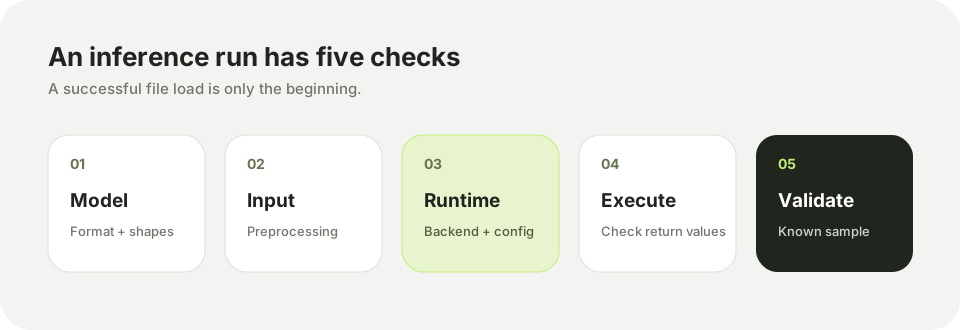
1. Check the model and backend
Identify the model format, input layout, data type, expected normalization, output names, and target accelerator. The selected backend must be supported by the installed SDK and board image.
2. Prepare inputs
Resize, reorder, and normalize input data exactly as the model expects. Record the source image size and color order. A shape-compatible tensor can still produce incorrect results when preprocessing differs from training.
3. Build the interpreter
In AidLite, the application creates a model description and runtime configuration, then builds and initializes an interpreter. Check every return value before submitting an input tensor.
4. Run and validate
Start with a known sample and compare output shapes and representative values to a reference run. Add postprocessing only after raw output passes this check. Measure latency after correctness is established, and separate model time from camera, transfer, and rendering time.
Continue with the AidLite SDK guide or the Python API.